 Bloomz
Record progress-monitoring points
Log a data point periodically so the case's goal graph shows whether the student is progressing toward the target — a few taps each time you check in.
Before you start
How often you log a point depends on the goal — weekly is common for a reading or behavior goal. The graph is only as useful as the data you put into it, so keep a regular schedule.
Step 1 — Open the case's goal
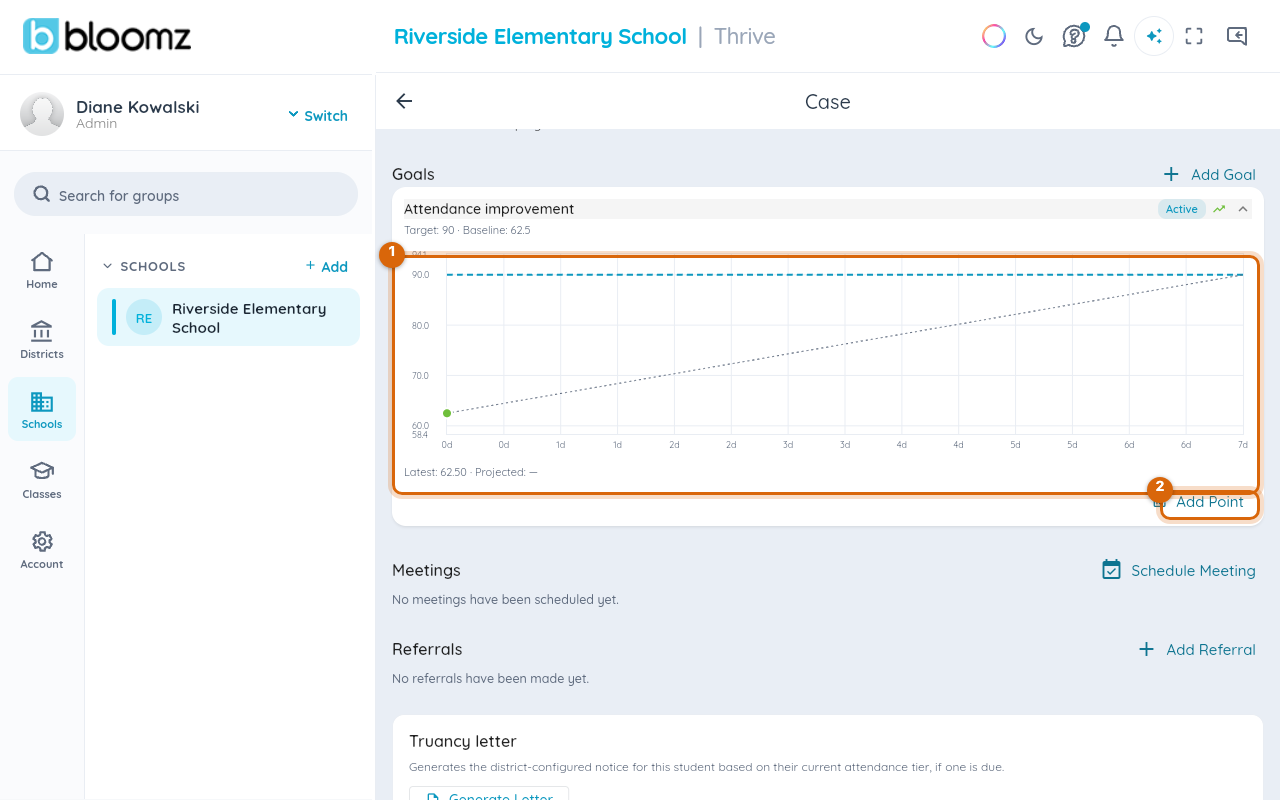
From the student's case, open the Goal you're tracking progress against.
Step 2 — Select Add Point
Select Add Point to log a new measurement.
Step 3 — Enter the value
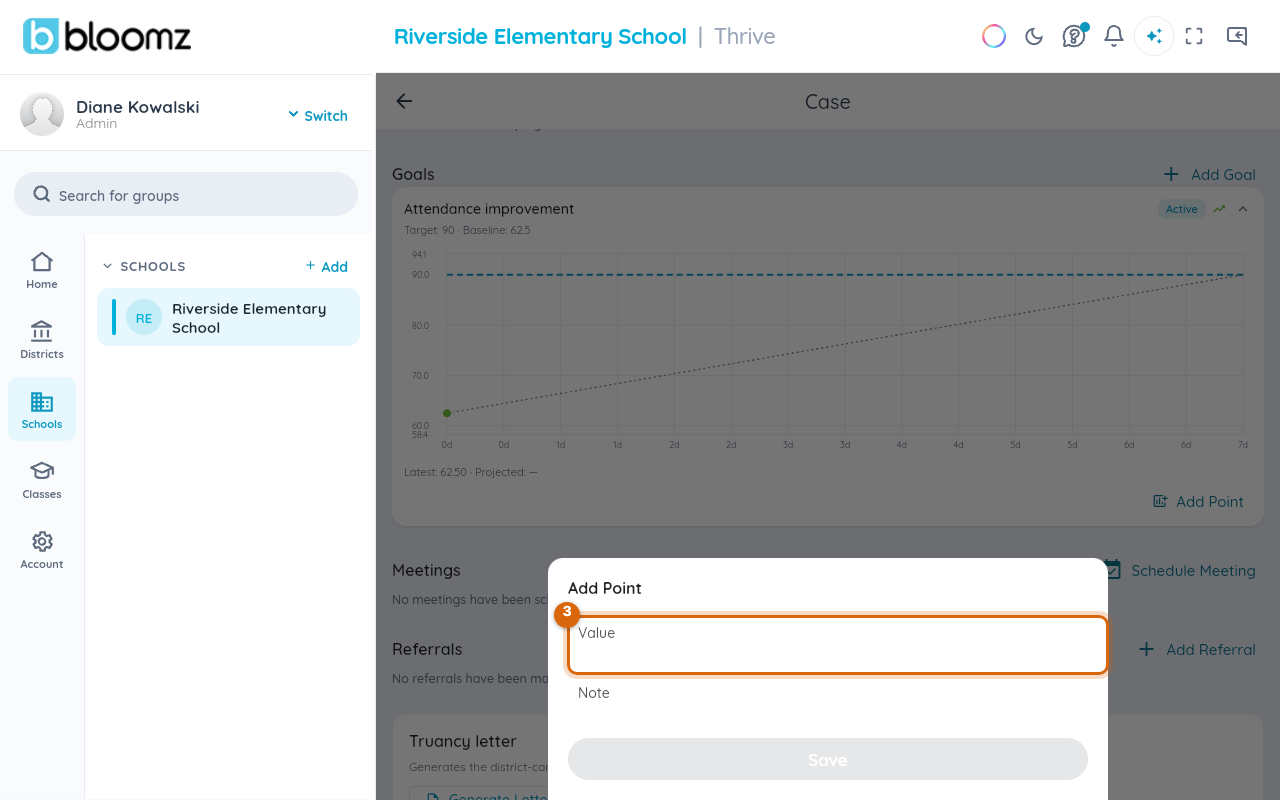
Enter the measured Value (a score, a count, a percentage). You can add a Note too, then select Save.
Step 4 — Review the updated graph
Save the point and check the updated graph against the target line — it shows at a glance whether the student is on track, ahead, or falling behind pace.
Watch out: a single low point isn't a trend — look at the trajectory over several points before deciding an intervention isn't working.