 Bloomz
Find a student on the Thrive watchlist

Thrive scores every student from attendance, behavior, SEL check-ins and academics, and the watchlist is where you see who needs a look today: which tier they are in, whether they are improving or worsening, and which factor is driving it. From a student's panel you can open a case, set a goal or message the family.
Before you start
Thrive is a school-level module: school and district admins, counselors and attendance staff see it; teachers see their own students. Scores refresh from the attendance source (your SIS or Bloomz attendance) — the Attendance source line on the overview says when it last synced.
Step 1 — Open Thrive
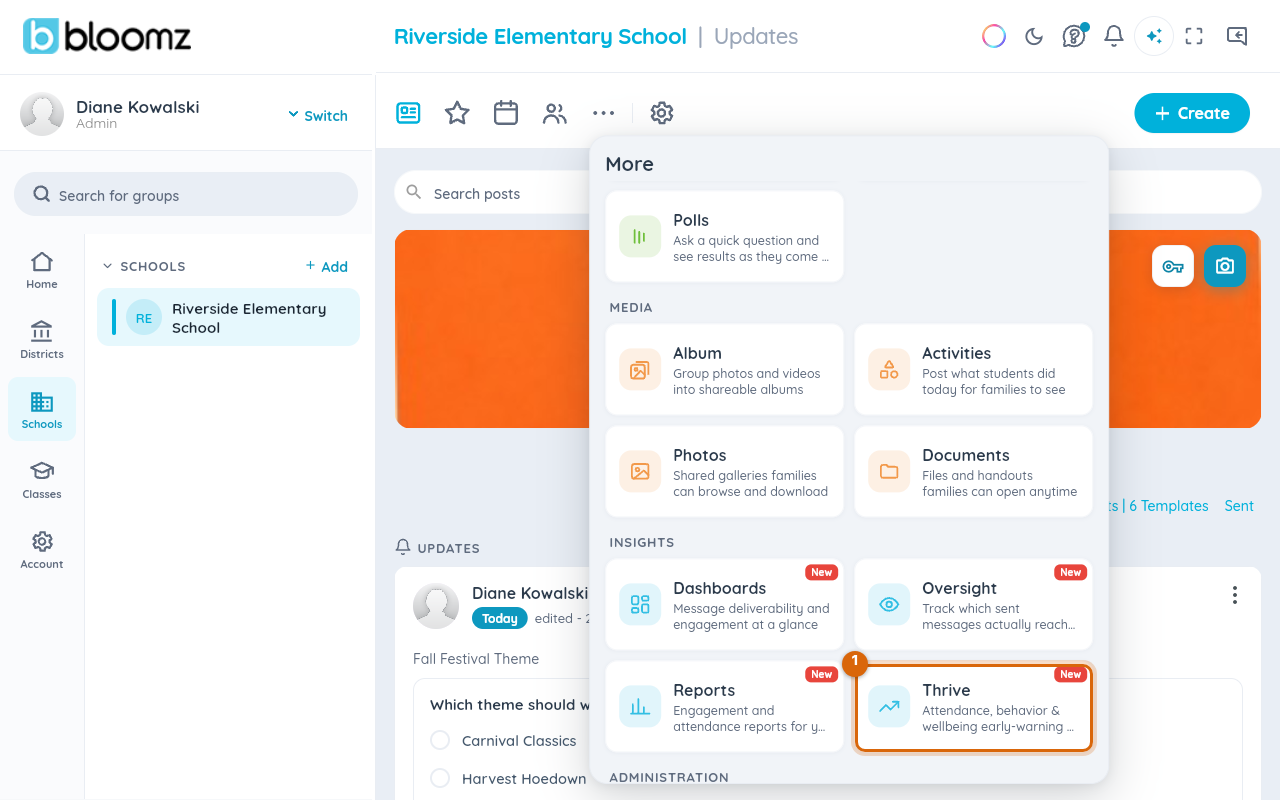
Open your school, select More (…) in the tab row, and choose Thrive under Insights.
Step 2 — Read the overview
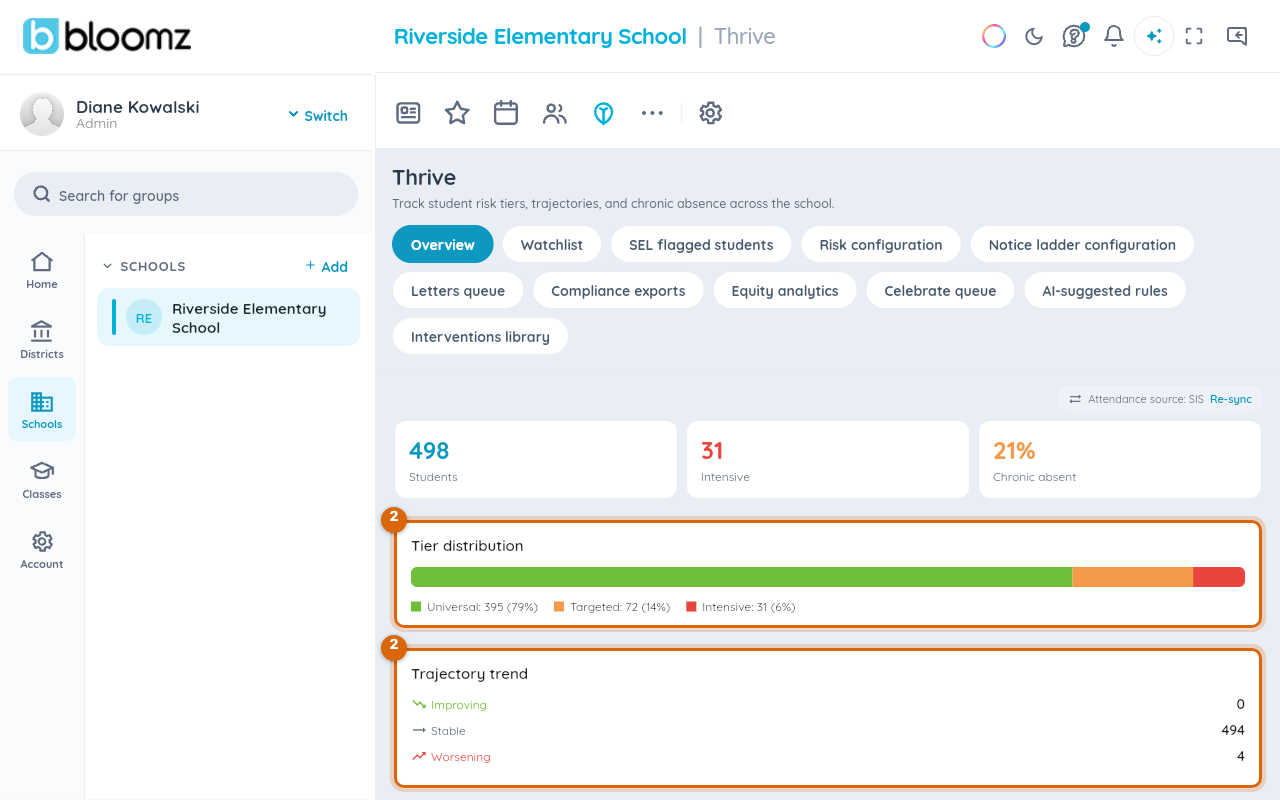
The Overview tab shows the school at a glance: how many students are in each tier (Universal, Targeted, Intensive), the chronic-absence rate, and the trajectory trend — how many students are improving, stable or worsening.
Step 3 — Open the Watchlist and filter it
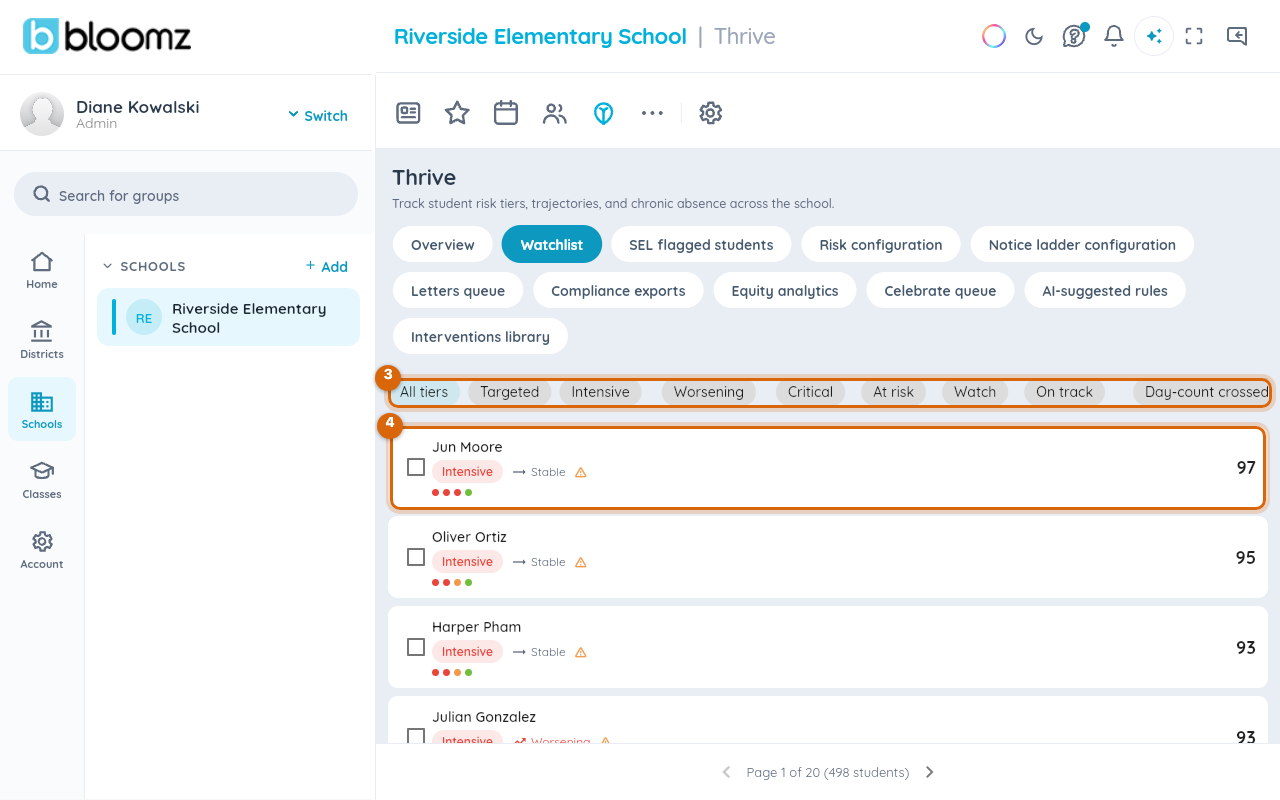
Select the Watchlist tab. Use the chips to narrow the list: a tier (Targeted, Intensive), a trajectory (Worsening), a status (Critical, At risk, Watch, On track) or Day-count crossed for students who have just passed an attendance threshold. Each row shows the tier, the trajectory and four dots — one per domain — coloured by risk.
Step 4 — Open the student's panel
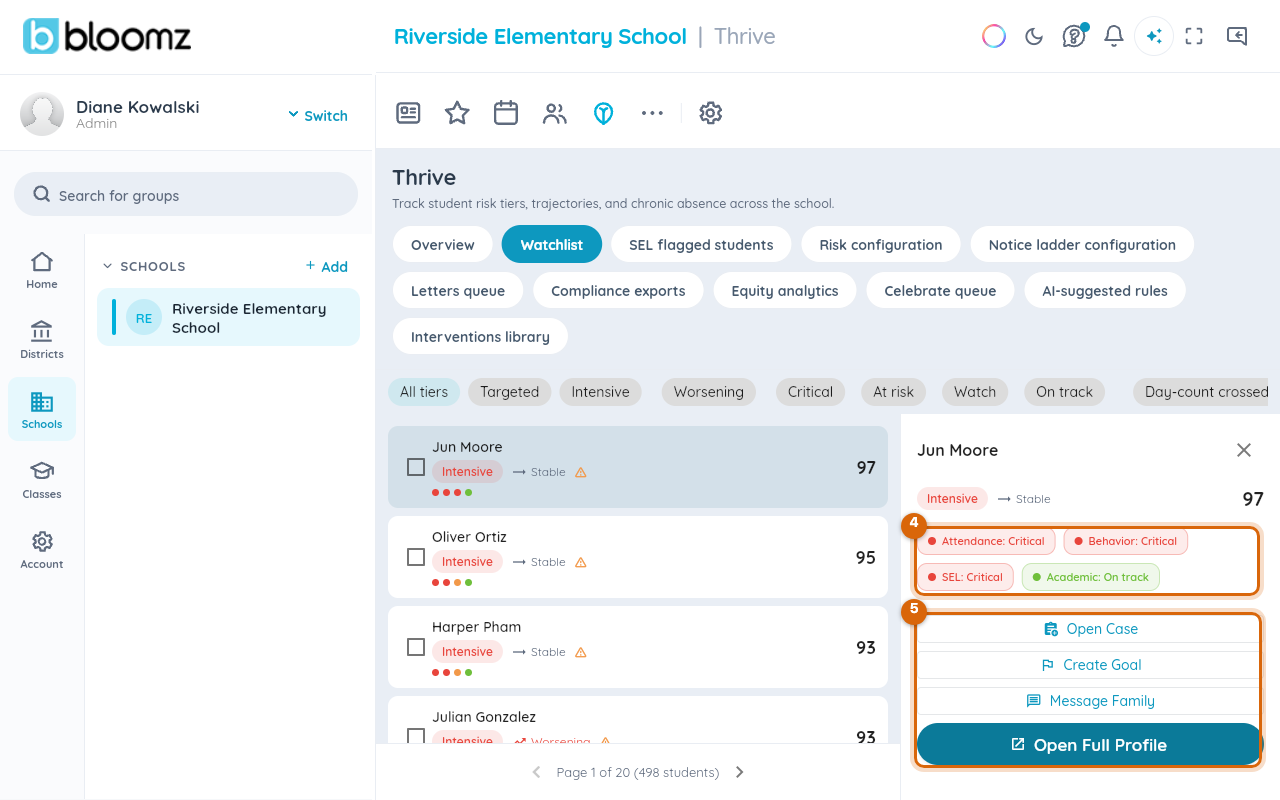
Select a row. The panel on the right shows the score, the tier and the four domain chips — Attendance, Behavior, SEL, Academic — each with its own level, so you can see what is driving the score.
Step 5 — Choose what to do
From the panel: Open Case starts an intervention case (see Open a Thrive case for a student), Create Goal sets a progress-monitoring goal, Message Family opens a conversation with the guardians, and Open Full Profile shows the trajectory, the attendance history and every factor behind the score.
Watch out: a score is a signal, not a judgement. Open the full profile before acting — a student can be Intensive because of a single run of unexcused absences that the office already knows about.
What families see
Nothing, until you act: families are not shown risk tiers or scores. They hear from you through Message Family, a case's outreach, or the attendance notices the school's notice ladder sends.
Related
- Open a Thrive case for a student
- Take attendance for your class
- Read your school's engagement dashboard