 Bloomz
Send a form to families
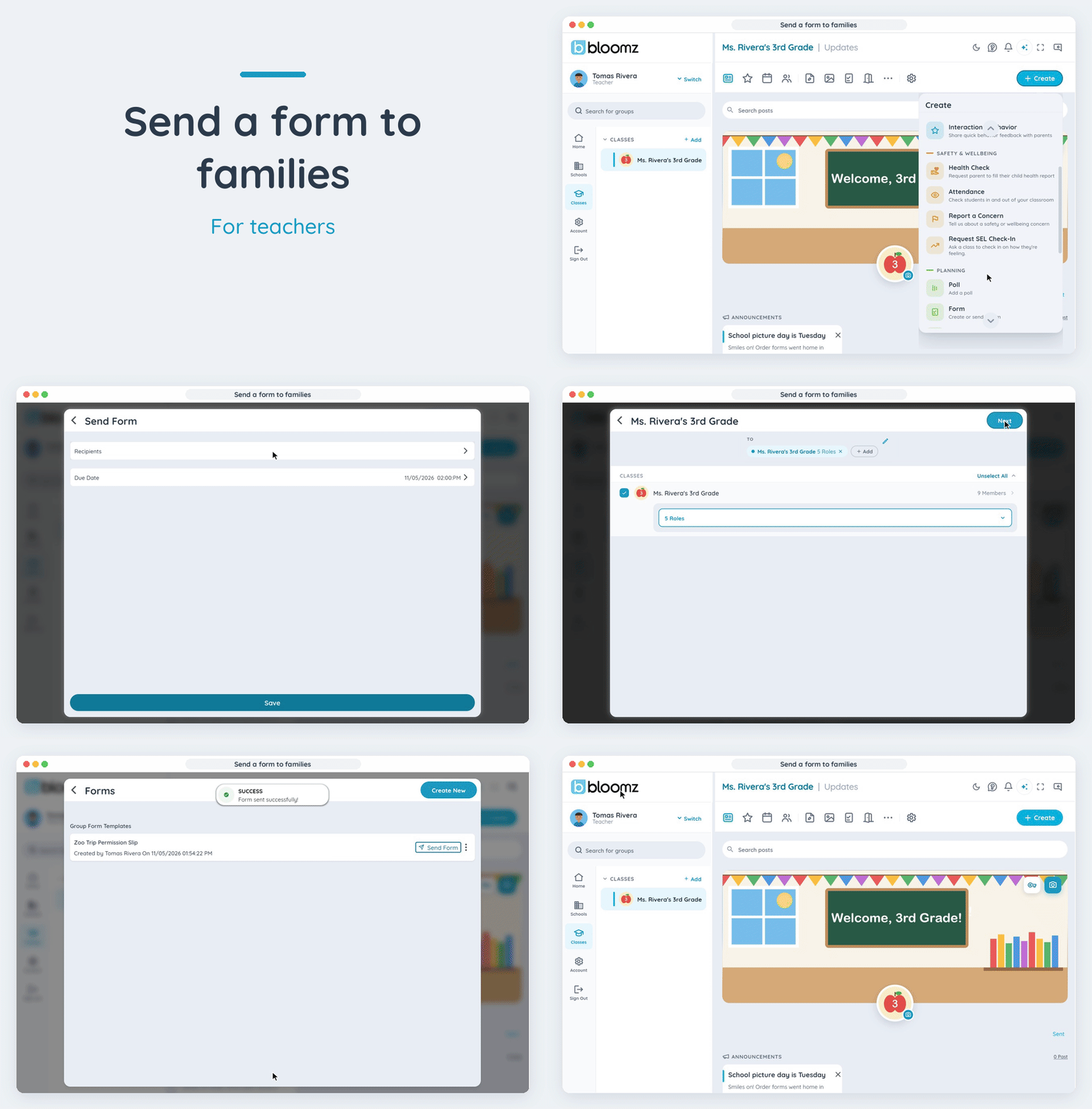
Bloomz Forms lets a teacher or school admin build a custom form — a permission slip, a supply request, an interest survey — and send it to a class or group for families to fill out and submit from the app.
Before you start
Forms and Polls share one switch. If you don't see Forms on your class or group, check Settings > Features for the Forms & Polls switch. The switch isn't shown for plain groups or departments, and it can appear greyed out if your school hasn't enabled it; in that case ask your Bloomz administrator.
Building the form
Open the Forms page for your class or group — or start one from the Calendar's quick-add options. The Forms page lists your form templates; select Create New to build one (on the web, use the + Forms button on the Forms tab). The builder is titled Create Form and has two steps, Define and Add Questions.
On Define, give the form a title and choose whether it Requires Signature? or Requires Student Information?, then select Next. On Add Questions, organize your questions into one or more sections (Add Section, or Add information section for a title and formatted text with no question). Each question can be one of nine types: Short Answer, Long Answer, Single Select, Multi Select, DropDown, DateTime, File Upload, Likert Scale or Net Promoter Score (NPS). Any question can be marked Required, and a question can have a default answer that the person filling in the form can change.
When you're done, select Save Form: it is saved as a template in the Forms list.
Ask for a signature
Turn on Requires Signature? while you're building the form if you need a parent's e-signature on it — a permission slip or a policy acknowledgment, for example. The signer chooses how to sign when they get to it (drawn or typed), so there's nothing more to configure here.
Sending it
On the Forms page, open the form's three-dot More options menu and select Send Form. Choose the Recipients (the class or group) and a Due Date, then select Save. The form posts to the feed and each recipient gets a notification, the same way a post does.
Related
- Fill out and submit a form
- Ask families to sign a form
- Export form responses to CSV
- Get notified when a form is answered