 Bloomz
Send the same message to several families privately
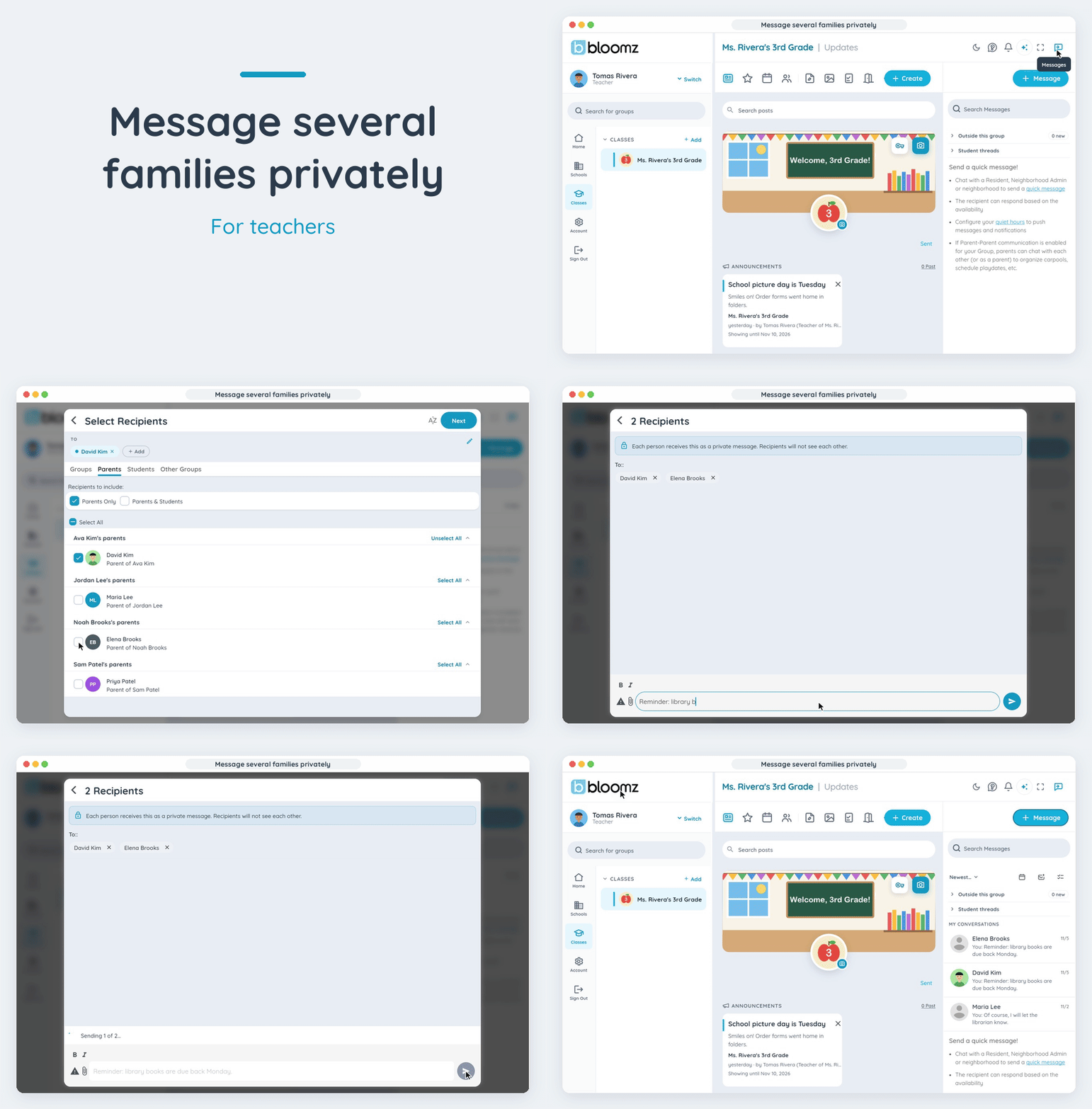
Sometimes you need to tell several families the same thing, but privately — each parent should get their own message, without seeing who else got it or being pulled into a group chat. Bloomz sends it as a mass private message (BCC): one message from you, delivered as a separate one-to-one conversation to each person you pick.
Before you start
If you choose more than one person (or a class) while starting a message and then select Next, Bloomz asks how you want to send it — that's where this comes in.
Watch out: mass private message does not reach a whole school or district. For anything wider, send a post to a class or group instead.
Step 1 — Start a new message and pick your recipients
Start a new message. In the recipient picker, choose the people you want to reach — for example, under the Parents tab — then select Next.
Step 2 — Choose Mass private message (BCC)
If you chose more than one person (or a class), a sheet titled How do you want to send this? appears, with a note such as "You selected 3 recipients." It offers two choices:
- Group thread — one shared conversation. Everyone sees each other and all replies.
- Mass private message (BCC) — each person gets the same message privately. Recipients will not see each other.
The question appears after you select Next, not when you pick the second person.
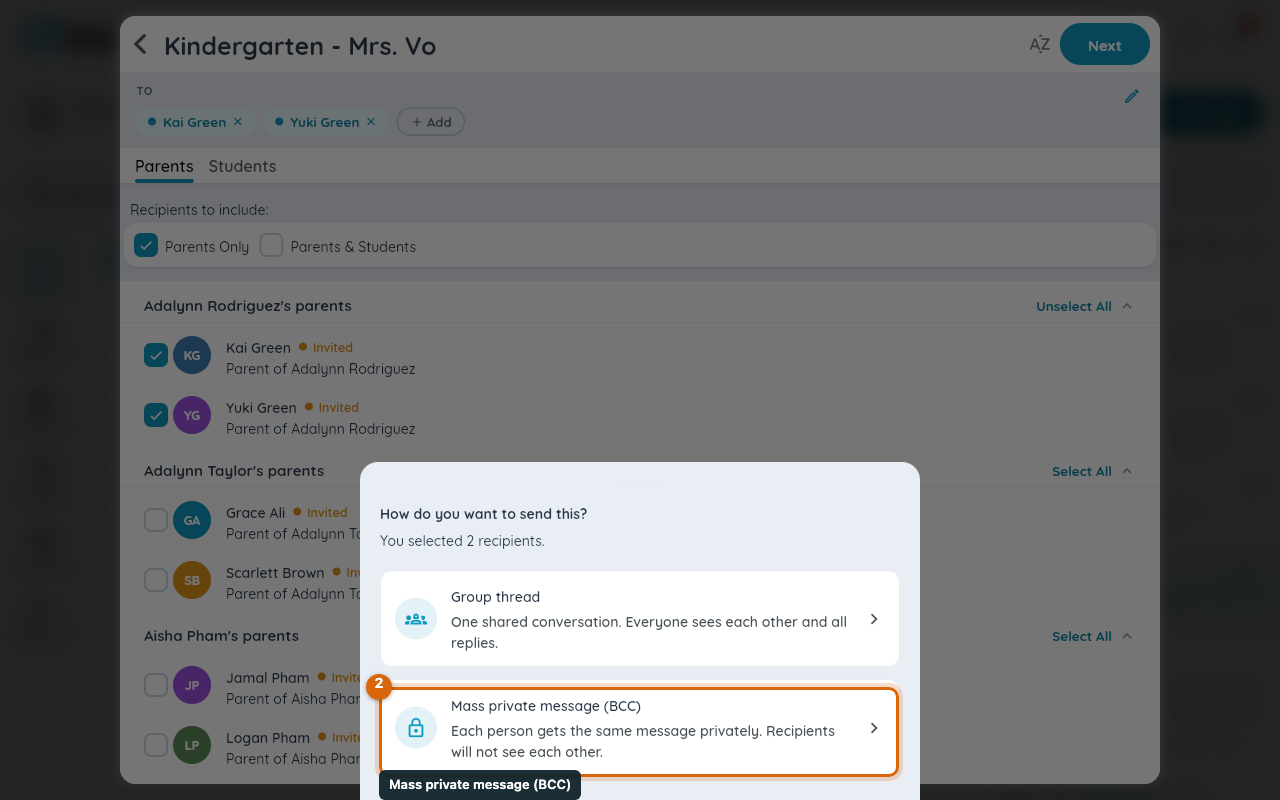
Choosing Mass private message (BCC) opens the compose page for that mode.
Step 3 — Write your message
Write your message once, and attach a file with the paperclip (Attach a file) if you want to. Each recipient is shown as a chip at the top so you can confirm who's getting it before you send.
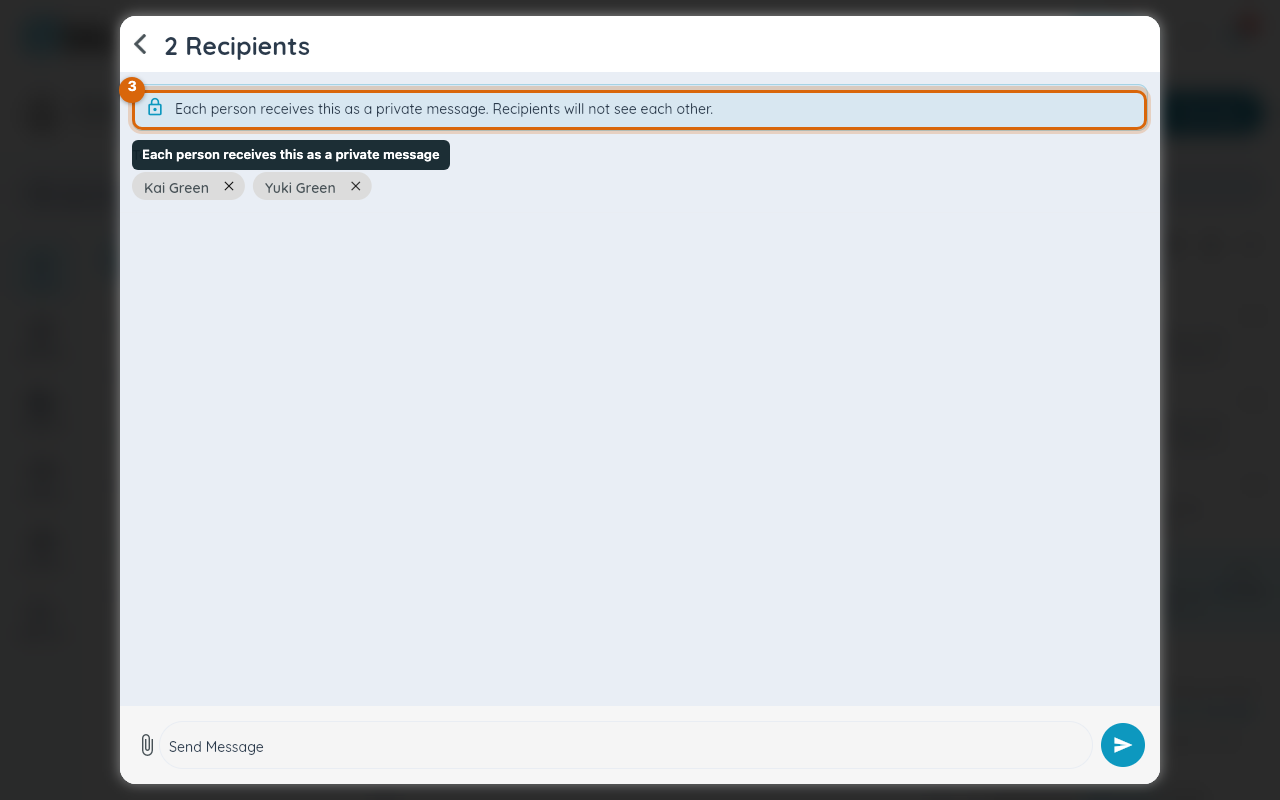
Note: a banner reads "Each person receives this as a private message. Recipients will not see each other." — that's the whole point of choosing this mode over Group thread.
Step 4 — Send
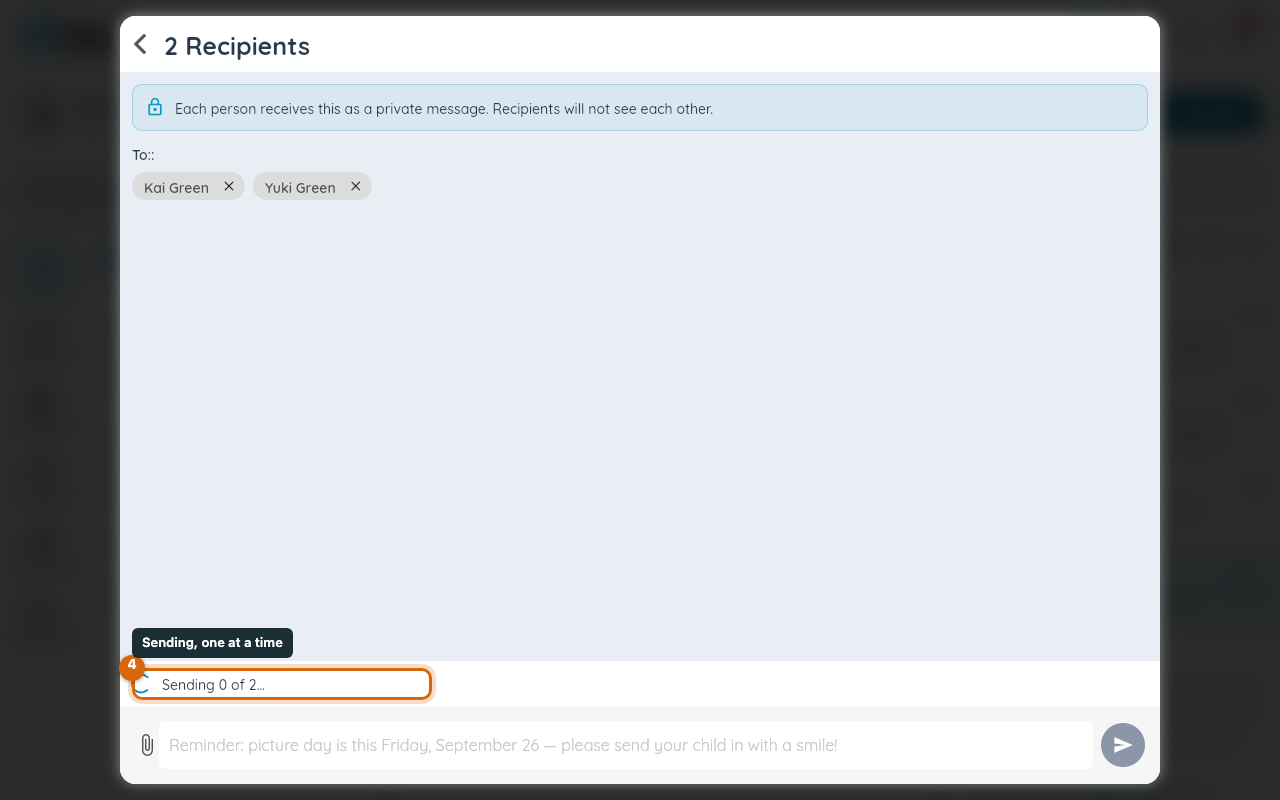
Send the message. Bloomz sends it to each recipient one at a time and shows progress as it goes.
What happens next
Each recipient gets an ordinary one-to-one conversation with you — it sits in their message list like any other thread, and yours too, once per recipient. If sending to someone fails, Bloomz tells you who and lets you retry just that one, without resending to everyone else.
Related
- Message a parent, a student or a colleague
- Message your family
- Search, sort, and clean up your messages