 Bloomz
Import students who have no class yet
A CSV import or SIS sync can bring in a row Bloomz can't place in a class — usually because the section name doesn't match anything on your roster yet. Bloomz surfaces that at the moment it happens rather than in a separate cleanup list, so catch it during the import or sync itself.
Before you start
You need to be a school or district admin. There is no standing "Unassigned Students" list to check later — the two places below are where an unmatched row actually shows up, at CSV-import time and during an ongoing SIS sync.
Step 1 — Catch it during a CSV import
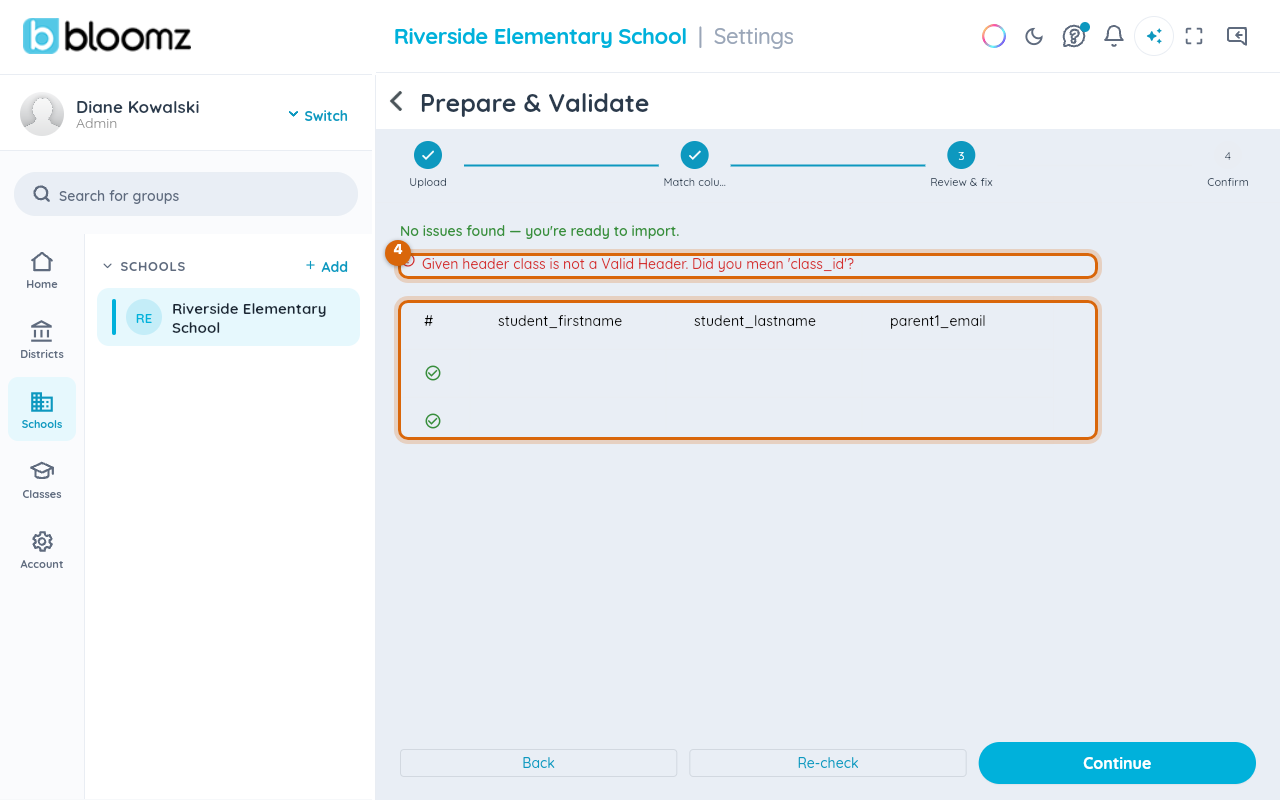
The Prepare & Validate import wizard walks you through four steps: Upload, Match columns, Review & fix and Confirm. The Review & fix step checks your file and shows how many rows are ready and how many need attention. Every row it can't match to a class is flagged before anything is created, with the reason next to the row — unrecognized class name is the one that matters here.
Step 2 — Fix the row or the source file
Fix the class name in the table and select Re-check, or fix the class name in your source file and upload it again. Continue stays unavailable while rows still need attention, so nothing with an unrecognized class name is created until you resolve it.
Step 3 — Catch it on an ongoing SIS sync
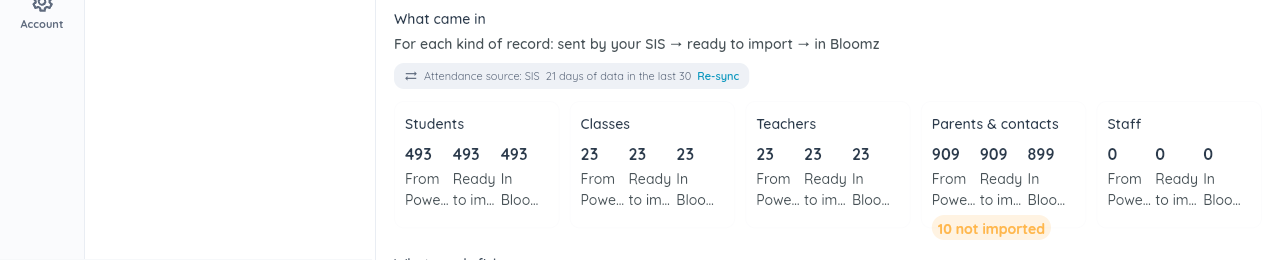
For a connected SIS, the Data Sync page's pipeline breakdown shows a not imported count per record type — Students included — for anything your source sent that Bloomz couldn't place.
Step 4 — Open the affected records
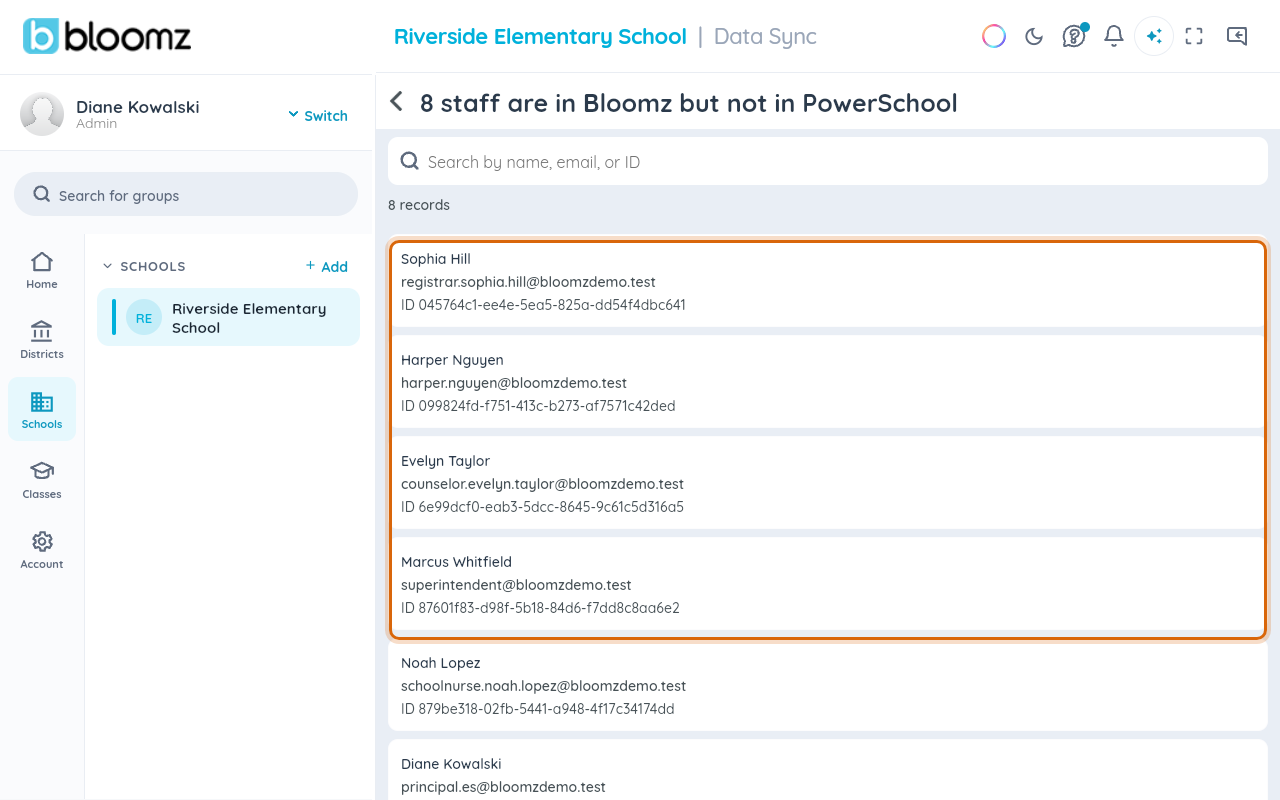
Select a not imported count to open the full list of affected records and see why each one didn't come in — most often the same unmatched-class-name cause as a CSV row.
Step 5 — Fix the source for next time
If a whole section keeps landing unmatched, the class name in your CSV or SIS likely doesn't match a Bloomz class name at all. Update it at the source so the next import or sync places those students automatically instead of flagging them again.
Watch out: a row that isn't fixed doesn't get a Bloomz account at all — it isn't sitting anywhere waiting for you, so resolve the "unrecognized class name" reason rather than leaving it for later.