 Bloomz
Forward a message
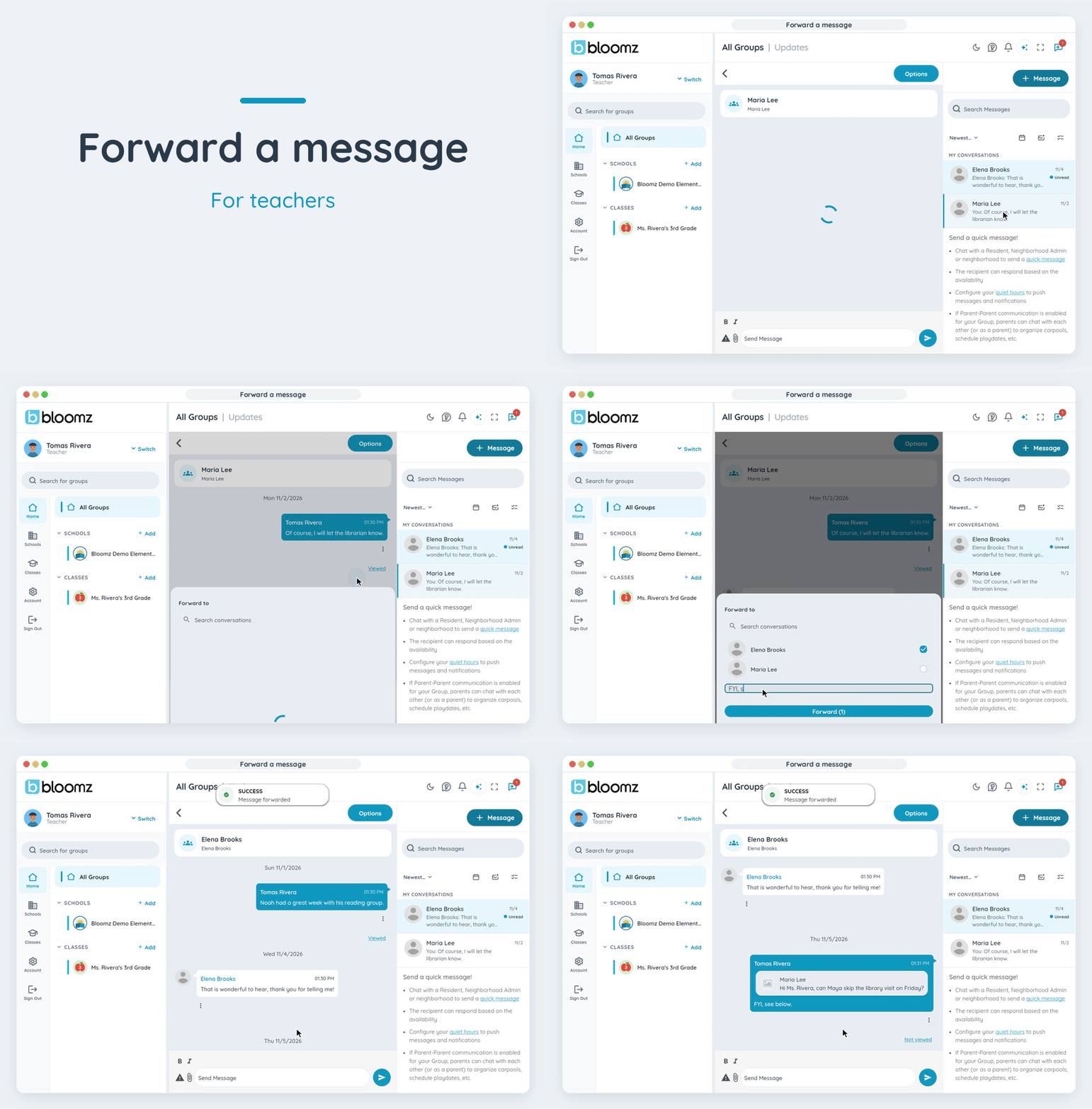
Forwarding sends a copy of a message into another of your conversations, with a preview card showing the original sender's name and the original text — so the person you forward to can see where it came from.
Before you start
- You can only forward a message that contains text and has finished sending. A photo-only or file-only message, a deleted message, or one that is still sending has no Forward option, because the forward carries the original's text.
- You forward into your existing conversations. To reach someone you have never messaged, start a conversation with them first.
- Conversations you are not allowed to send into simply do not appear as destinations.
Step 1 — Open the conversation
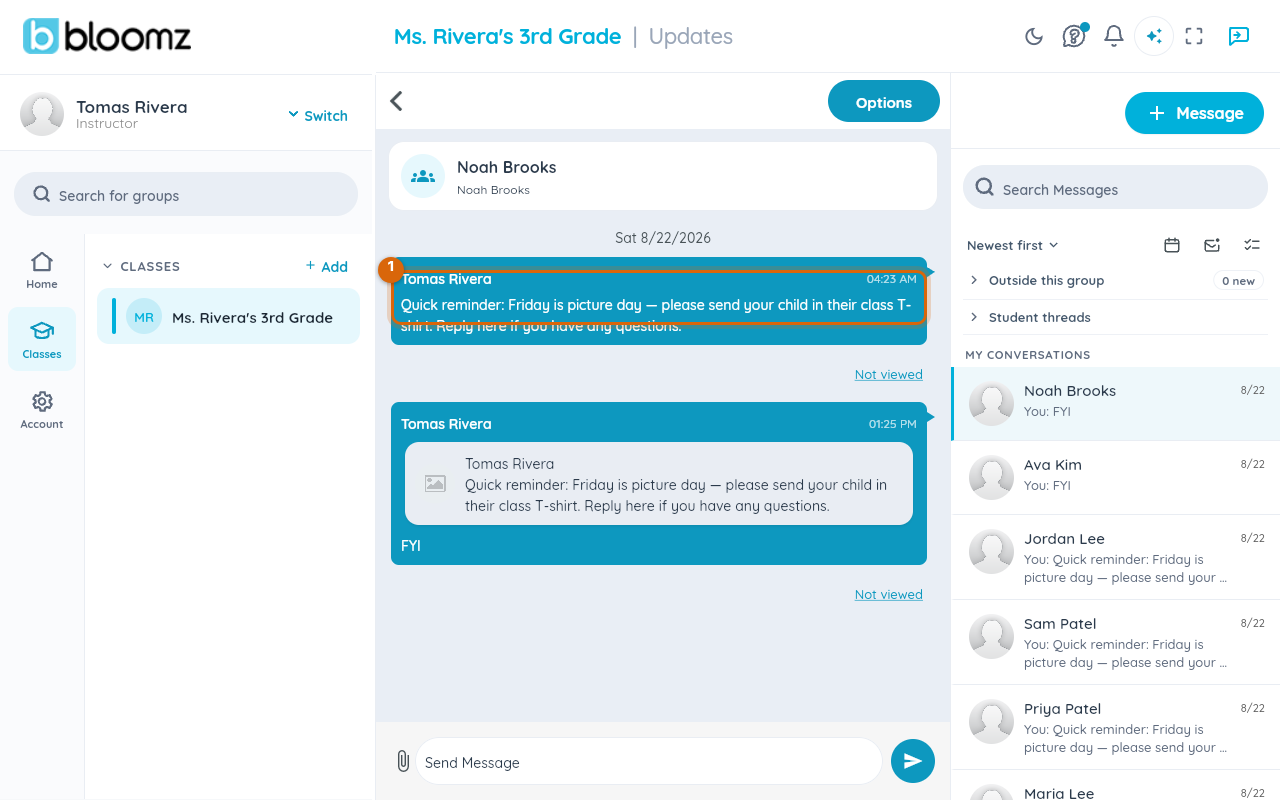
Open the conversation that contains the message you want to forward.
Step 2 — Open the message's menu and choose Forward
Under the message, select the three-dot More options menu (on a phone, you can press and hold the message instead). A menu opens with Copy, Forward and Delete. Select Forward. (Copy isn't offered for file and image messages.)
With a mouse, pointing at a message also shows a small row of actions that includes a forward-arrow icon (Forward) — you can select that instead.

The Forward to sheet opens, listing your conversations.
Step 3 — Choose the destination conversations
Tick each conversation you want to forward into. Use Search conversations at the top if the list is long. You can pick more than one.
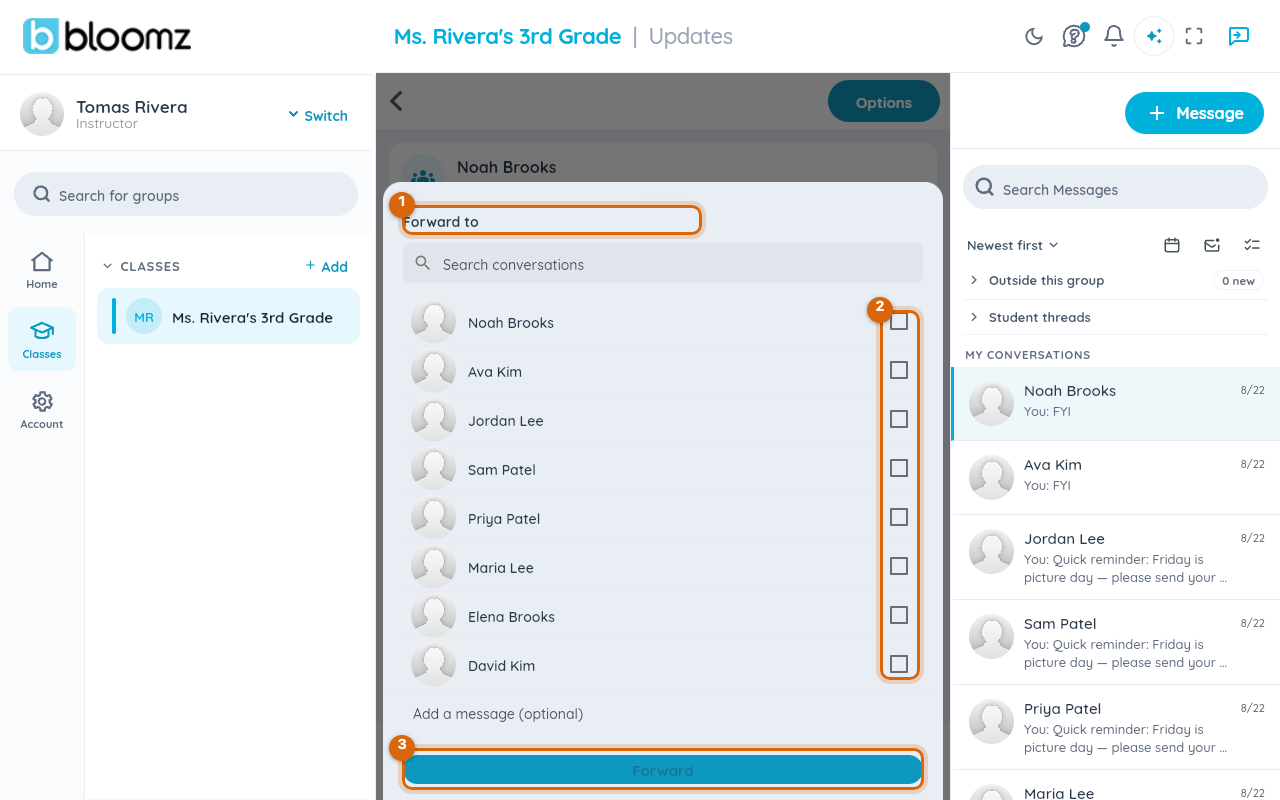

Watch out: forwarding to several conversations sends each one its own copy — it never merges them into one new combined group thread.
Step 4 — Add a note (optional)
Write something in Add a message (optional) if you want the forward to arrive with your own words. If you leave it blank, Bloomz sends "Forwarded message" as the accompanying text — a forward always travels with some text.

Step 5 — Forward it
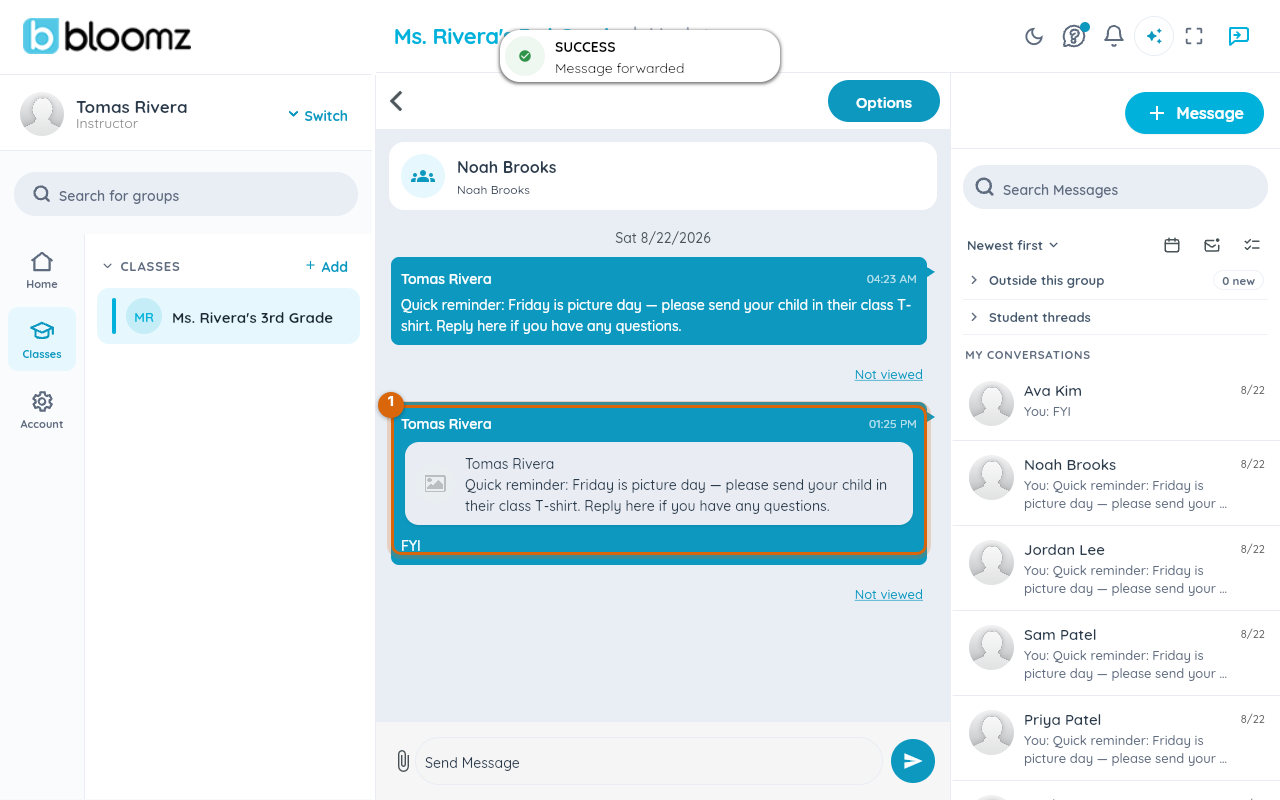
Select Forward at the bottom of the sheet. Once you have ticked conversations, the button shows how many, for example Forward (2). Bloomz confirms with "Message forwarded". If you chose exactly one conversation, that conversation opens so you can see the result.
What the recipient sees
The forward arrives as an ordinary message carrying a preview card: the original sender's name as its title and the original text beneath it, with your note (or "Forwarded message") as the message body. The card is a preview, not a link — tapping it does not open the original conversation.
Watch out: forwarding a message that was itself forwarded carries the preview of the message in front of you, not the whole chain back to the first sender.
Related
- Search, sort, and clean up your messages
- Message your family
- Send a message to one family instead of the whole class