 Bloomz
Change the language for everyone in a class
There's no separate class-wide default language setting in Bloomz, distinct from each person's own language — language is a per-person choice, not a per-class one. This article explains what actually controls language for the people in a class, so you're not hunting for a setting that doesn't exist.
Before you start
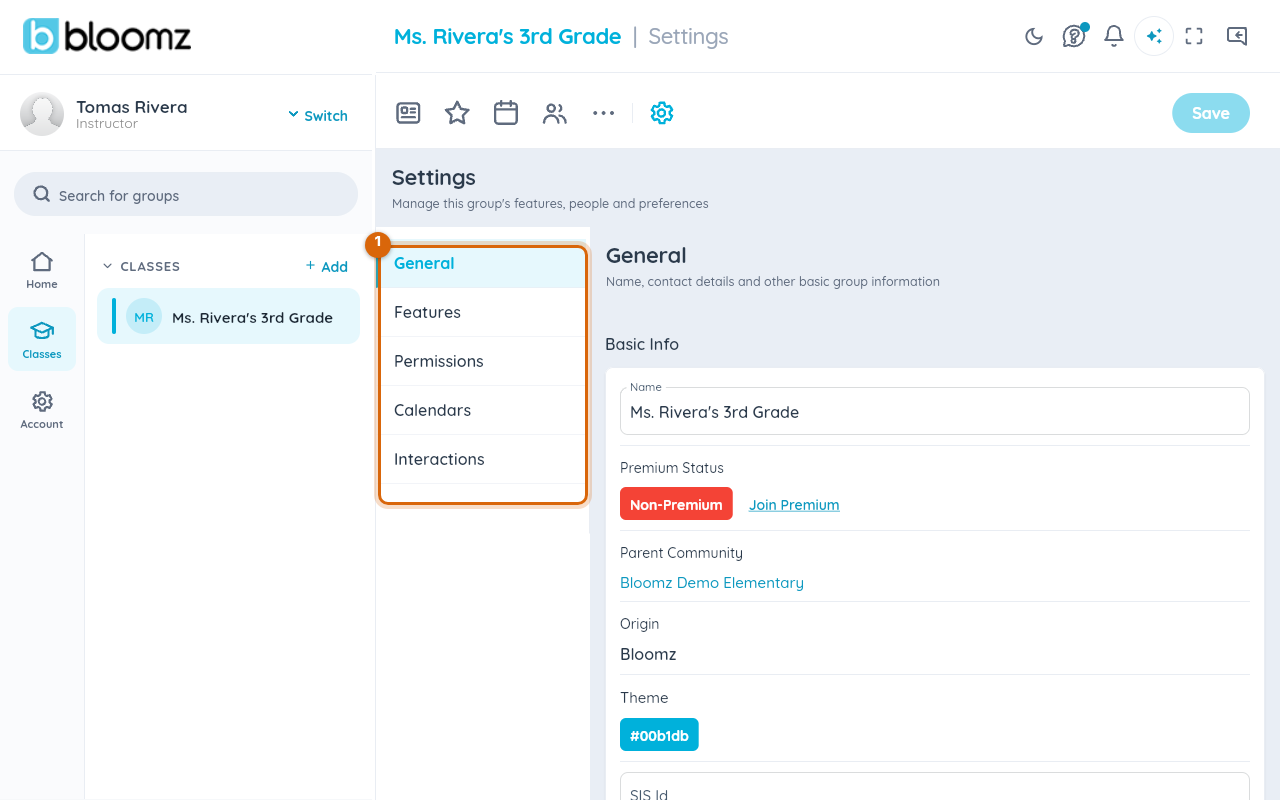
The class Settings screen (Manage → Settings, General tab) covers class name, grade, and features — it does not have a language option. Checked directly: this build has no class-level default-language control, and no bulk action to set a language on behalf of everyone in a class.
What actually controls language
Every person — teacher, parent, student — sets their own Preferred App Language individually, in their own Account settings. It governs the app's menus and buttons for them, and posts and messages are translated per reader from whatever language they were written in. See Change the language Bloomz shows you to set your own, or a family member's if you're helping them.
For a new member who hasn't set a preference yet
Someone who joins a class and never opens language settings sees the app in whatever language their device or account defaulted to at signup — not a class default, because there isn't one. If a new family needs a specific language from day one, the fastest path is walking them through Preferred App Language during onboarding rather than looking for a class-level switch.
Watch out: don't spend time searching Class Settings for a language option — it isn't there. If most of your class shares one home language, set each person's own Preferred App Language individually (or point families to it), rather than expecting a single class-wide switch to cover everyone.